
Designlab
Add a feature: Group Crit Section
Role
end -to-end UX/UI Designer
Timeline/Deliverable
16 weeks/Web based prototype
Project Type
Student Project
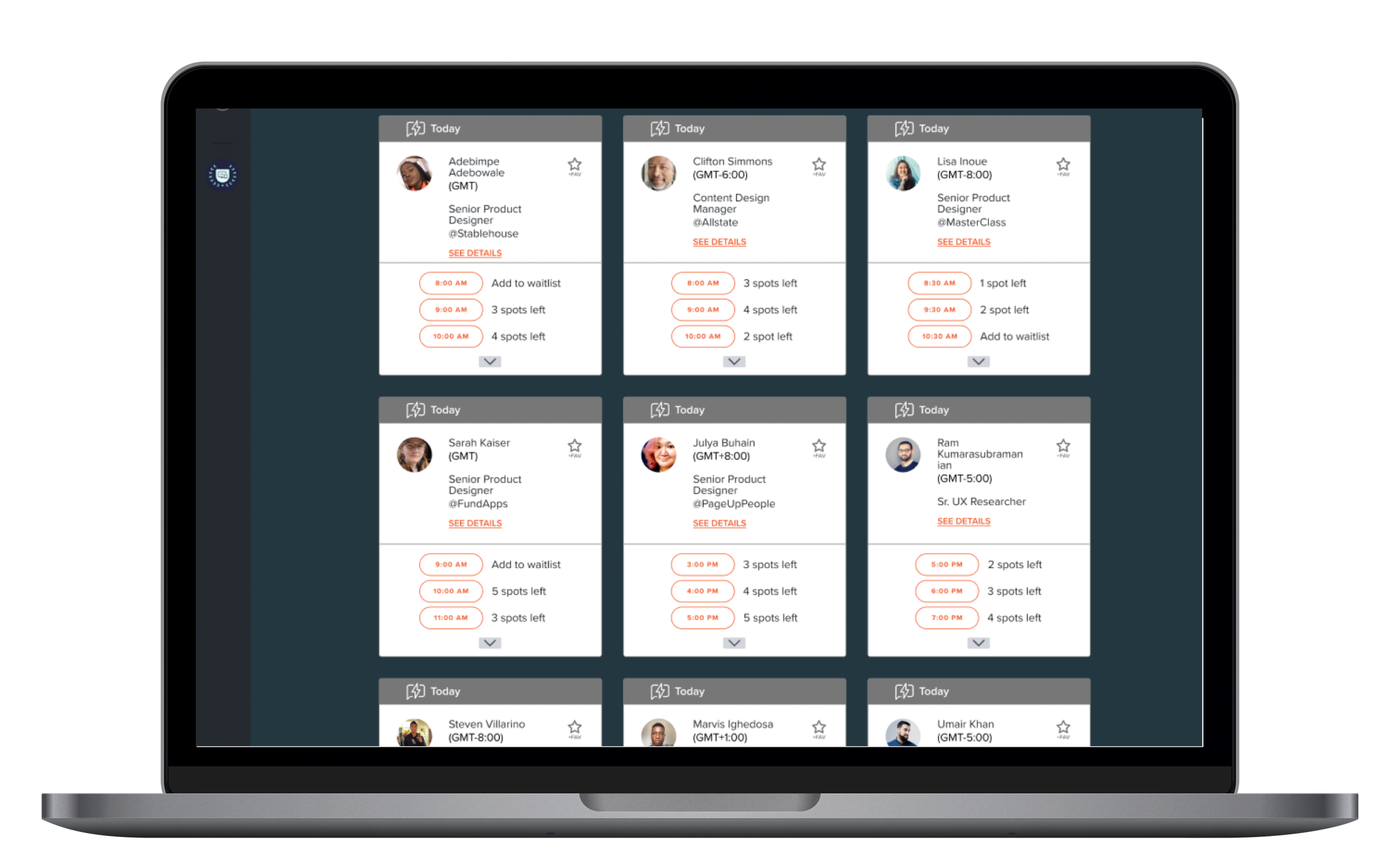
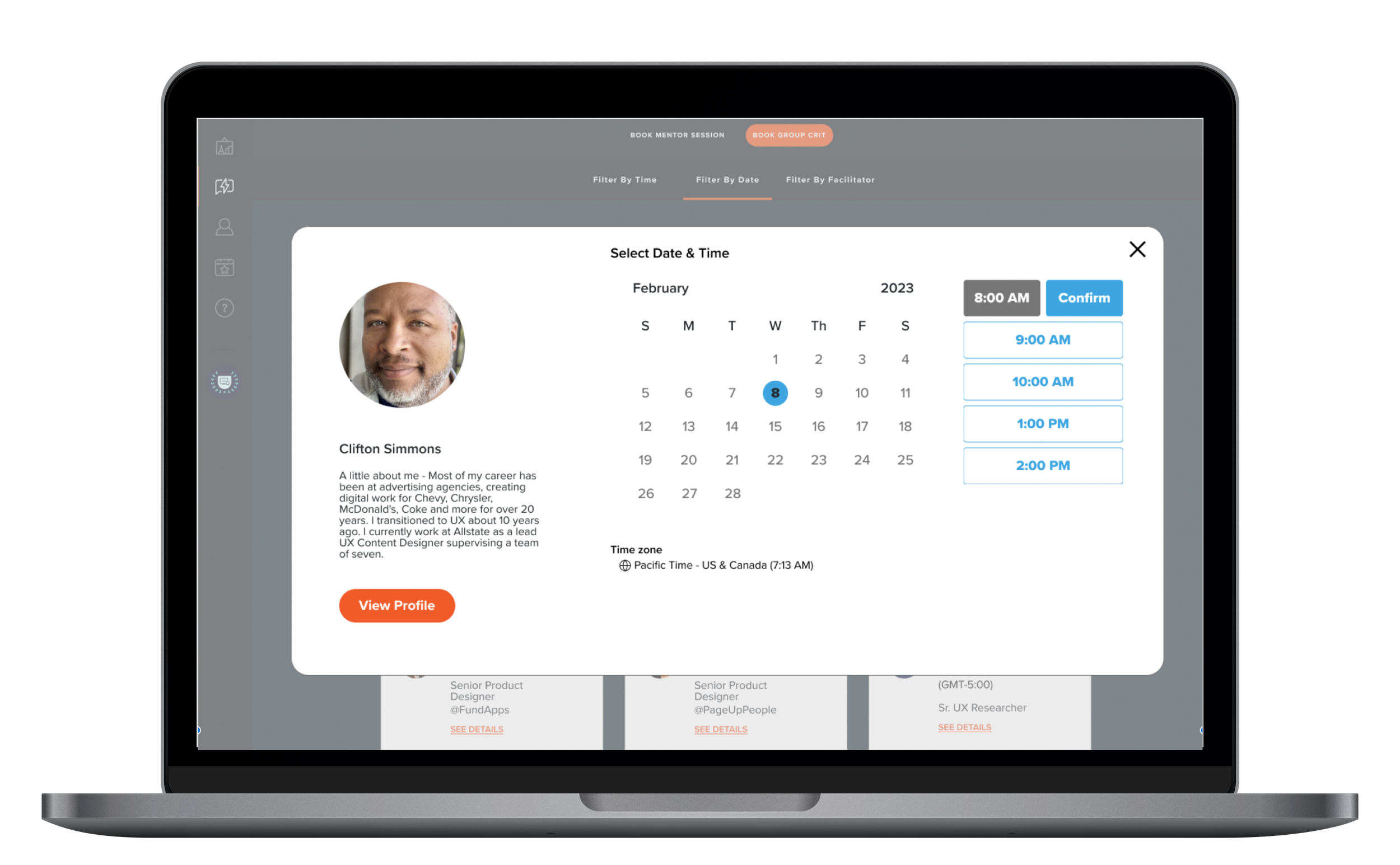
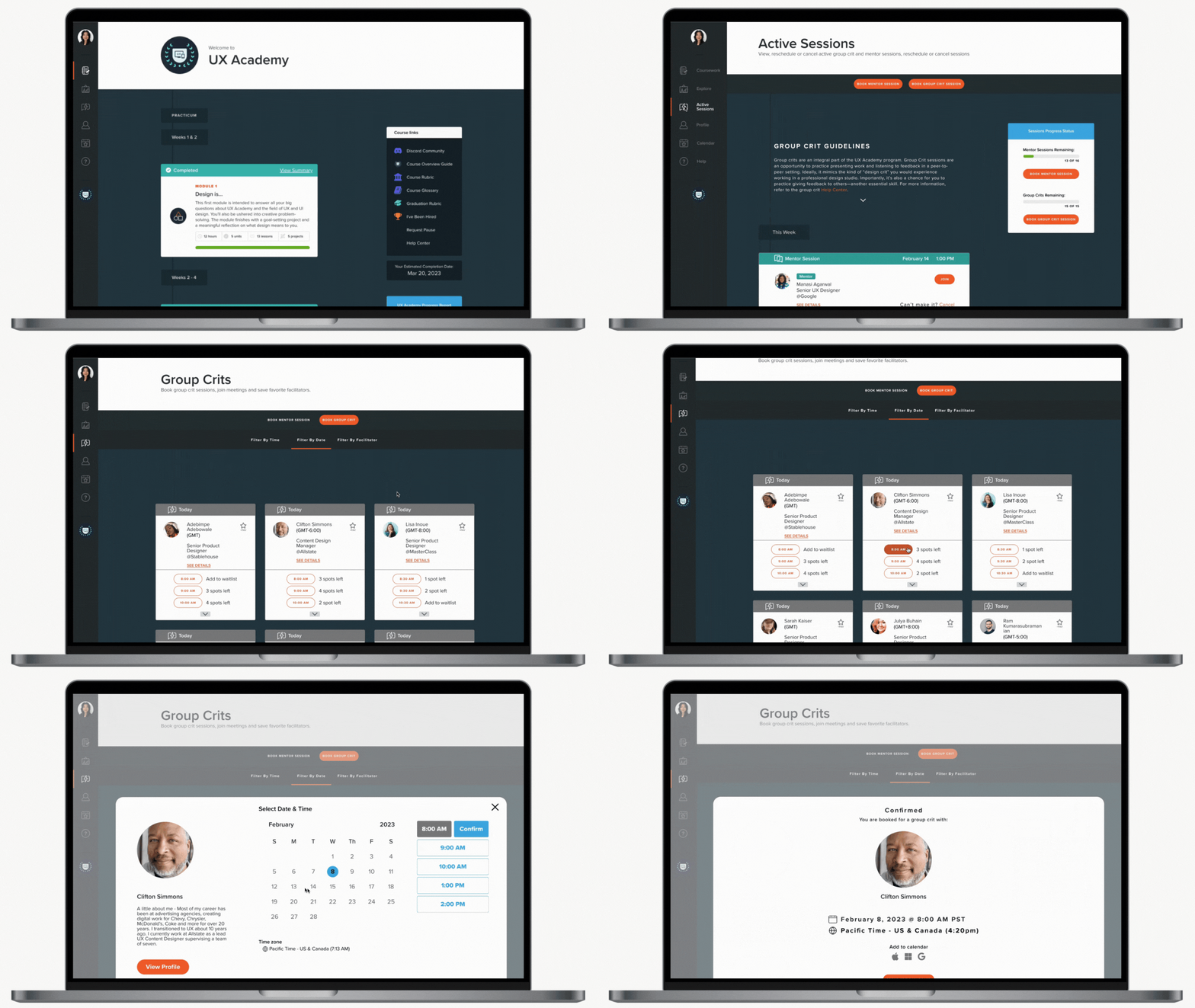
Overview
Designlab is an online bootcamp that teaches UX/UI skills through project work and 1-1 mentorship. The DesignLab (DL) student portal allows access to:
All of the student reading materials, project briefs and submissions
Booking mentor sessions
Booking group crit sessions
Other information and guidelines
The portal is simple to use but the UI is inconsistent.
The Group Crit section currently links to Airtable, with a user experience that feels like an afterthought. My hypothesis is that integrating this section into the DL brand and user flow would help minimize frustrations and provide positive student experience in the program.
Research
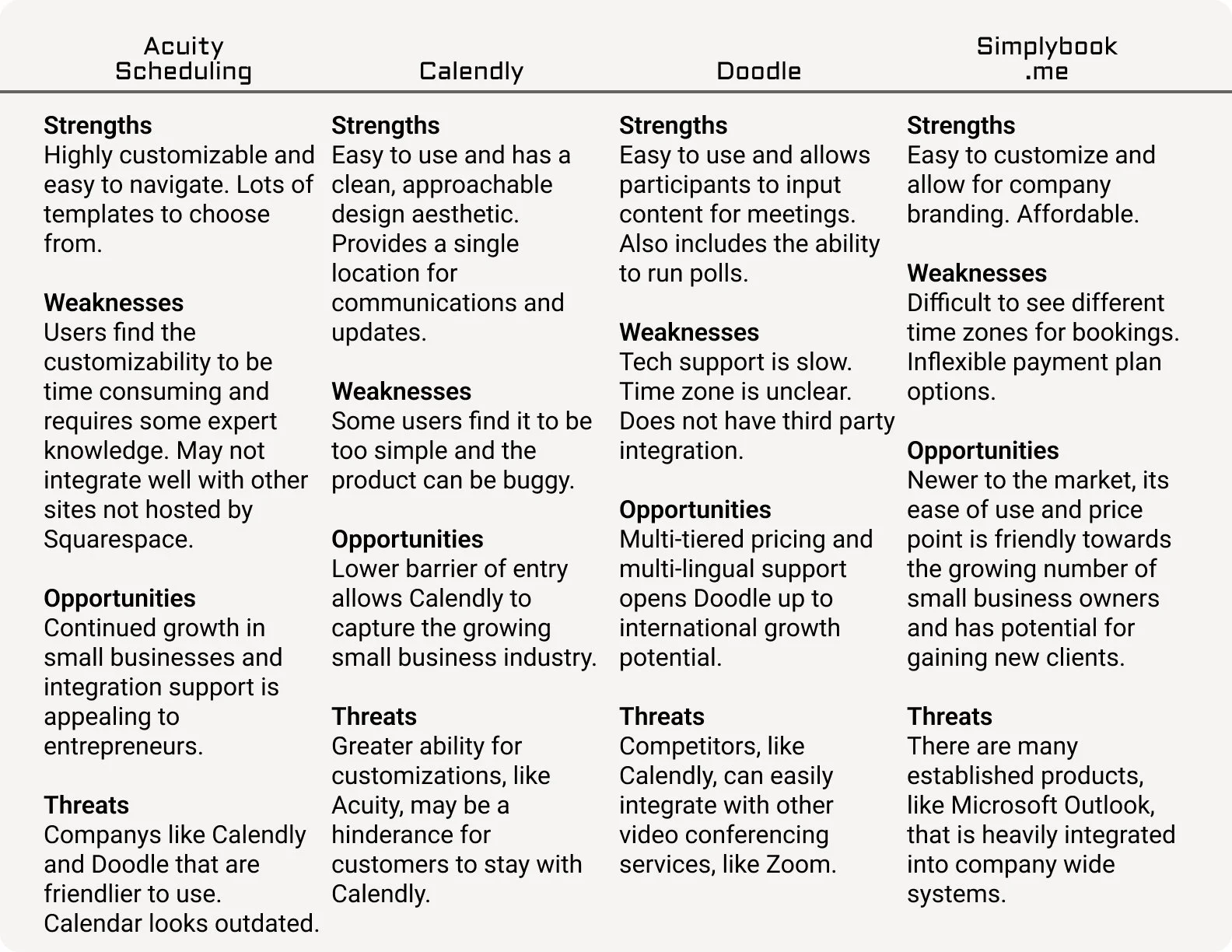
Competitive Analysis
The online UX/UI bootcamp competition is fierce. Since I am only looking at one aspect of the Designlab student portal, I researched indirect competitors in the market of scheduling.
User Interviews
Interview participants agreed to an interview through a preliminary survey conducted in Typeform. Participants were all currently a Designlab student.
What we found
Students prioritize group crits:
with preferred facilitators
with sessions that fit schedule
The current system lacks facilitator information to guide students when booking with a facilitator.
Including facilitator’s bio and crit style
helps students align professional interests
helps structure how they prepare for crit sessions
Students want to connect with each other after group crits
adds value to the online bootcamp experience
none of the participants like Discord
Having more information on the facilitator and better ways to connect with other students feels like the same problem: the desire to connect with real people.
What’s the problem?
I want to look into how we can re-design the group crit section to be user friendly and inclusive to Designlab students at all levels.
There is a great opportunity to improve on the group crit booking system by integrating the section into the DL portal.
Prioritization
I extracted the main components of what participants were saying about the features that would provide the biggest impact on their user experience. This is the target moving forward in the re-design for the group crit section.
These were extrapolated from the affinity map after the user interviews. A full Affinity Map can be viewed in the link.
Affinity Map (click on image to enlarge)
The User
Personas are created to empathize with users and avoid designing for ourselves.
Project Goals
Identifying the intersection of the 3 areas of project goals helps to define the “why” for this research and define its outcome.
Explorations
I did a deep dive into the existing group crit system for what is working and what isn’t based on comments from user interviews.
Design
After working through some user and task flows (which can be found here), I was able to create a sitemap for the new feature.
Wireframes
Mid-fidelity wireframes helped to visualize the final layout and establish the language for each portion of the site.
Here, notes distinguish the changes from the existing UI.
Usability Testing
High fidelity wireframes helped the design move into usability testing.
How success was measured:
Participants see value in the features added.
Expectations for how a tool responds is in line with their user experience with other products in the past.
Results:
Success rate: 88%
Difficulty Level:
Flow 1 - mostly easy
Flow 2 and 3 - mixed
Analyzing and Prioritizing
Based on the analysis, these are items I will focus on updating:
improving the discoverability of the Book Session button
adjusting the filter bars and their states to have more differentiating UI
adjusting the pages to clearly include the mentor sessions card
In addition to these changes, one of the repeat confusions in the testing was in regards to the filters page. It was not clear to some testers that whether every parameter had to have input or if some could be skipped. I looked at two versions for the filter page for the next usability test if occurs.
Flow 1: First Time User, setting up a session (Click for prototype)
Flow 2: Favoriting (Click for prototype)
Flow 3: Joining a session (Click for prototype)
Reflection
I really enjoyed this project as it allowed me to iterate on a product I was using everyday. Speaking with other students and sharing similar frustrations helped me to make connections and feel like the work has value.
What I would do differently
I don’t have to use the existing UI exactly as it is and may need to adapt for clearer designs.
A few features I would include if I had more time:
Booking recurring sessions
A more elaborate progress charts
Full facilitator profile
Group crit meeting notes and attendance
View Other Projects
Museum App
Swatt Miers Architects