Museum App
End to End Application
Role
end -to-end UX/UI Designer
Timeline/Deliverable
16 weeks/Web based prototype
Project Type
Student Project
Overview
During the pandemic, many museums offered online exhibits that allowed exhibits to be viewed, along with virtual talks and workshops. An article by the Arts Management & Technology Laboratory discussed how even while businesses have opened up in this latter phase of the pandemic, “museums demonstrating digital readiness and innovation in its exhibition spaces defines its maturity and ability to maintain relevance.”
Research
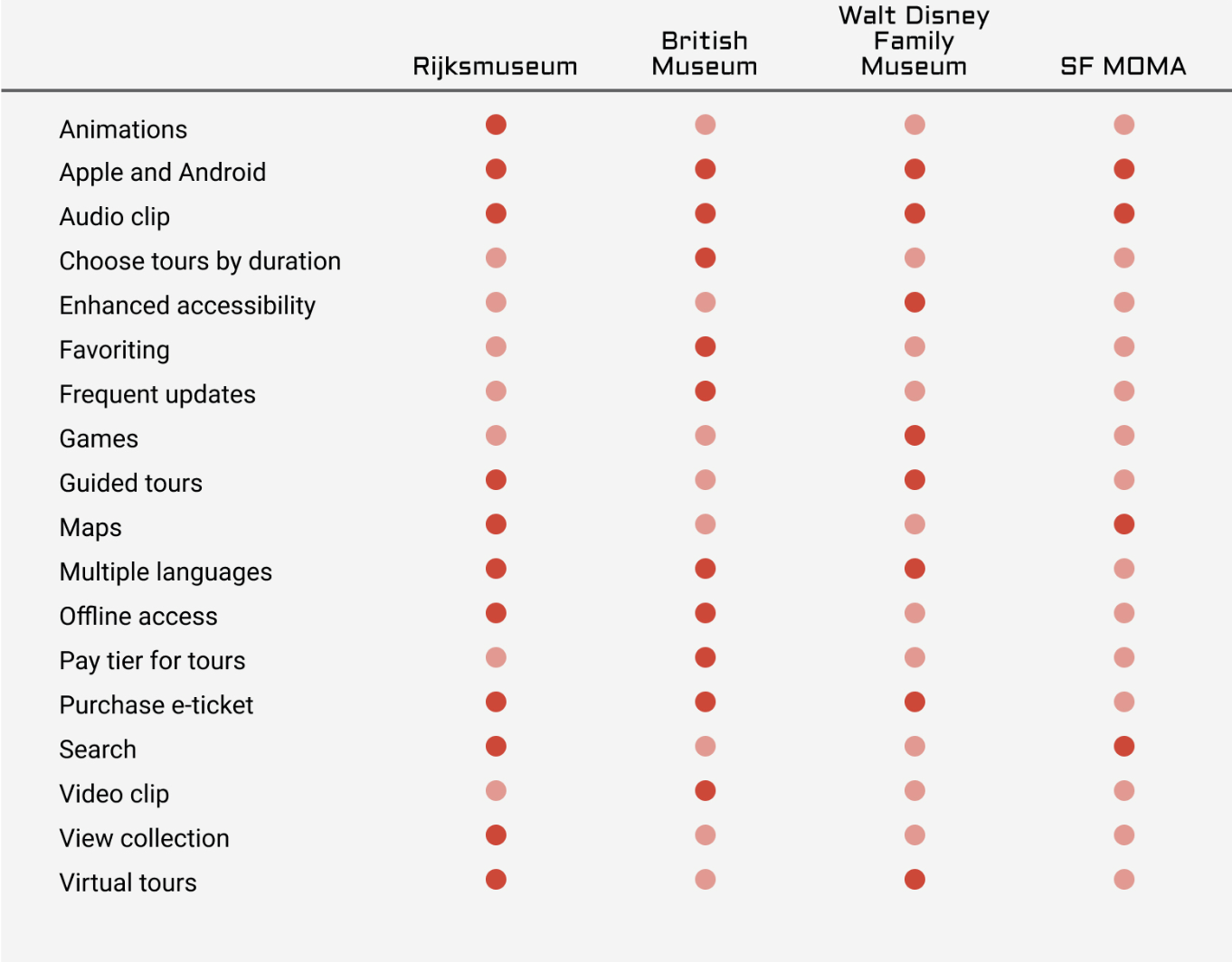
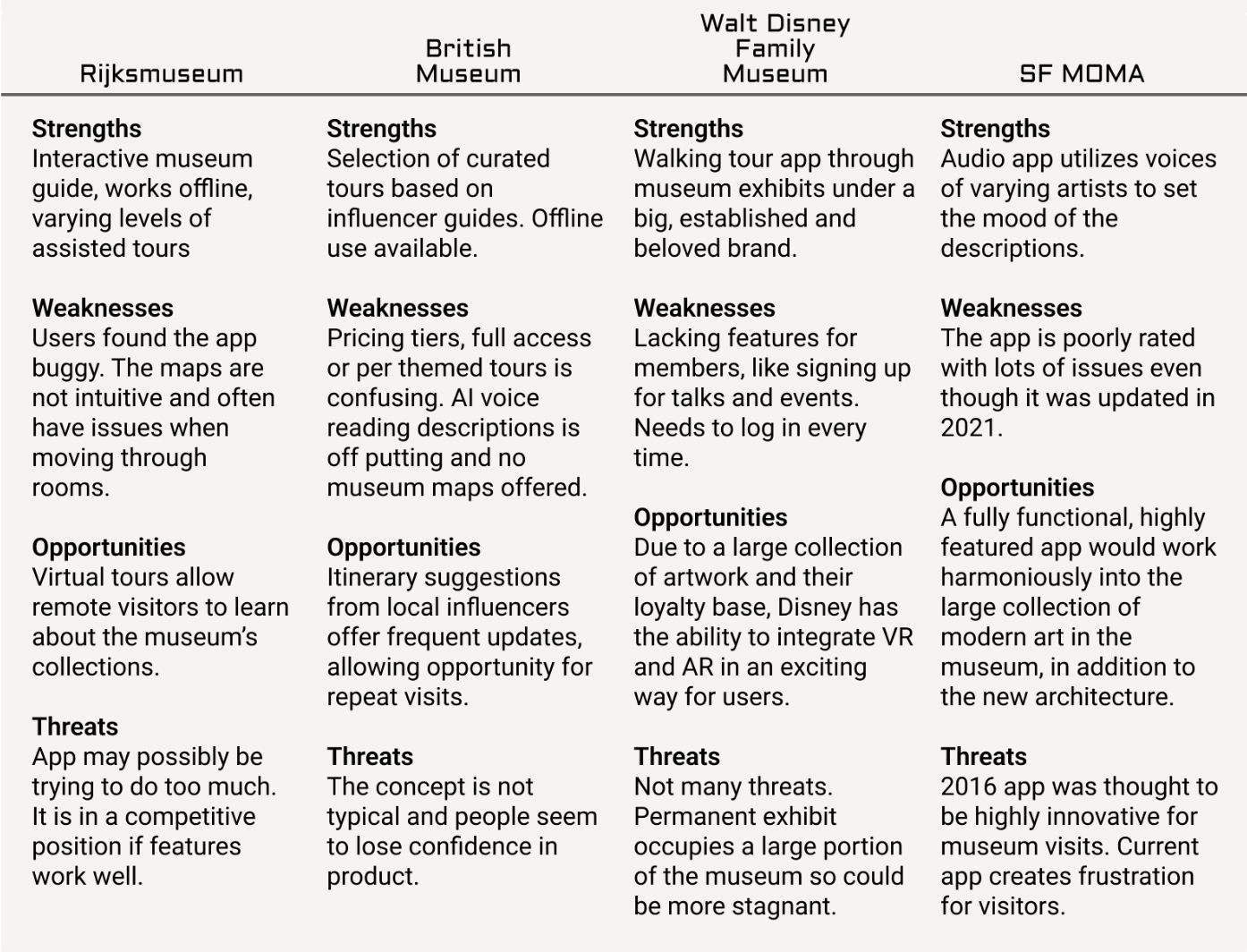
Competitive Analysis
I reviewed several apps that focused on tours, mostly through audio. The included features for a museum app varies greatly depending on the museum’s size. Since art is better experienced live, I would like to focus on in person experiences (although I don’t necessarily think an experience where you constantly look at a phone screen is optimal while at a museum).
User Interviews
Based on the interviews, a few items were consistent with the participants:
Would not download a specific museum app but when asked if a certain feature would be valuable enough for the download, they typically agreed it would.
Didn’t want to be tied to their mobile when visiting a museum but all used their mobiles to take photos and share them through text messaging or through social media.
All wanted to avoid crowds.
All either took photos of artwork and the exhibit label or bought postcards/posters in the gift shop to remember the piece or artist.Having more information on the facilitator and better ways to connect with other students feels like the same problem: the desire to connect with real people.
Insights
Although I thought the audio recording would be more tolerable, participants said it would alter their pace.
The interview participants mostly didn’t think an app was useful in a museum but when asked, they saw value in certain features.
The reality is that even though we think we do not want to engage with our mobiles while in a museum, the mobile is an extension of us. Museum visitors will often give up all of their possessions at the coat check but keep their mobiles.
What’s the problem?
Potential problem to solve for:
Museum goers stated main problems include getting lost or overwhelmed in a large museum and dealing with crowds.
Although not discussed as a problem, an action they share is taking a photo of the piece to either research later, share with others, or keep as a record without any sort of organization or process.
I will be taking a look at features that can help with these items above.
The User
Personas are created to empathize with users and avoid designing for ourselves.
Project Goals
Identifying the intersection of the 3 areas of project goals helps to define the “why” for this research and define its outcome.
Explorations
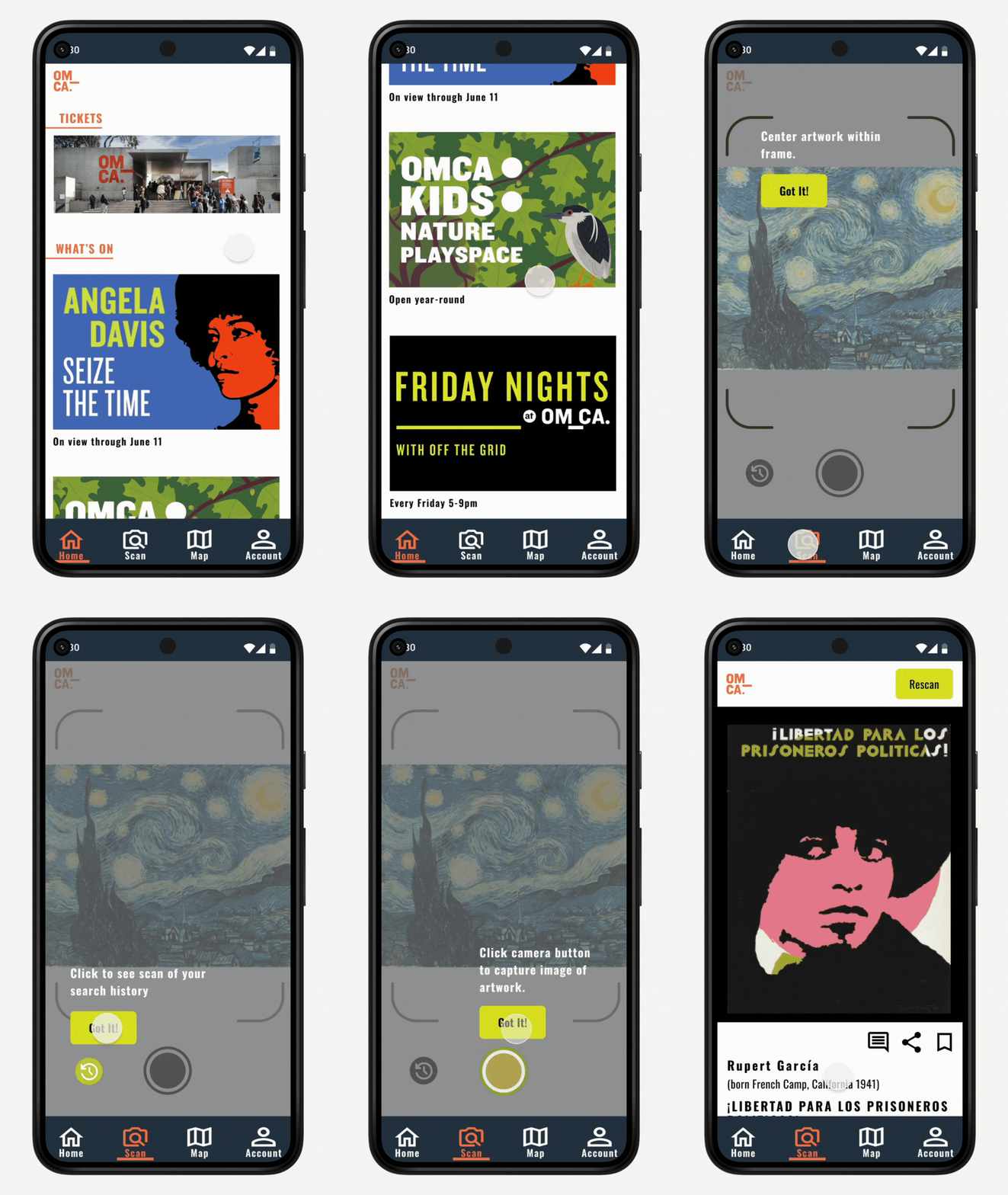
Based on the competive analysis, a prioritization of the features the interview participants felt needed and a review of an existing museum website of the Oakland Museum of California, I created a site map and users’ journey maps to guide the design.
Design
After working through some user and task flows, 3 main task flows determined the usability testing of the app. Click to see complete User Flow Diagram.
Wireframes
Mid-fidelity wireframes helped to visualize the final layout and establish the language for each portion of the site.
Usability Testing
High fidelity wireframes helped the design move into usability testing.
Method:
Maze prototype testing. Test includes:
3 test flows
range selection for ease of use
range selection for value of feature
final comments
How success was measured:
Participants can move through the tasks without frustration.
Expectations for how a tool responds is in line with their user experience with other products.
Results:
Success rate: Low
(Maze records the “direct success” which is NA for these tasks since they have multiple flows. In a real app scenario, this issue would be eliminated)
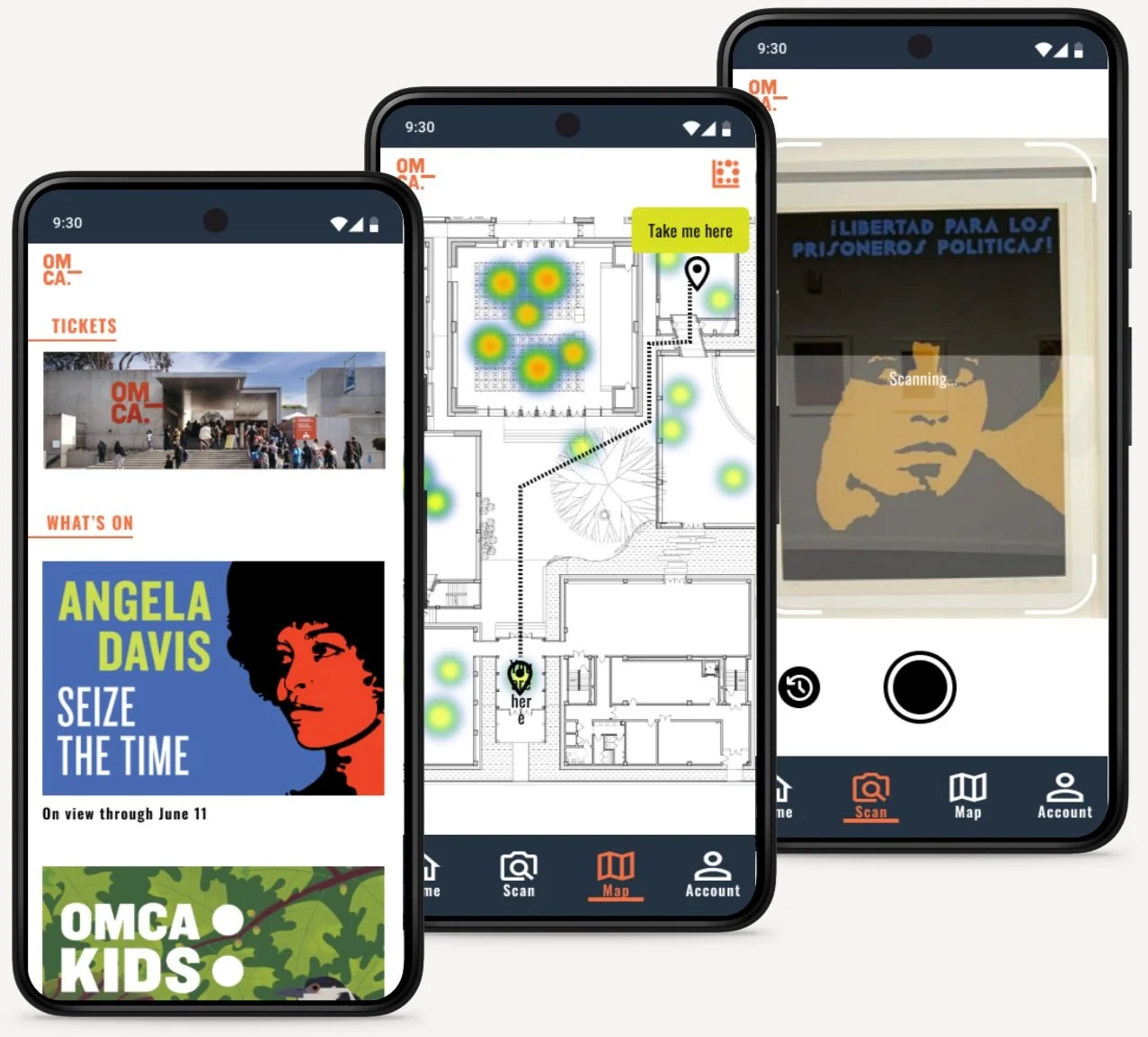
Flow 1: Using museum map feature to avoid crowds.
Flow 2: Scanning and saving museum artwork to research for later.
Flow 3: Leaving a comment on artwork.
Reflection
Takeaways
Although the app initially seemed aimless, I followed the needs of the interview participants and through testing was able to confirm the needs for the features included.
Further development of this app would be to look at different ways of navigation and map usage. If I had another more advanced iteration, I would look at the ability to provide not only 2d maps but also 3d maps. Users have different cognitive needs and I think it would be inclusive to provide different options. This could also include audio instructions, perhaps through AI.
View other projects
Swatt Miers Architects
Designlab